Six releases between 13 and 16 September, all of them in the lesson player.
The video player
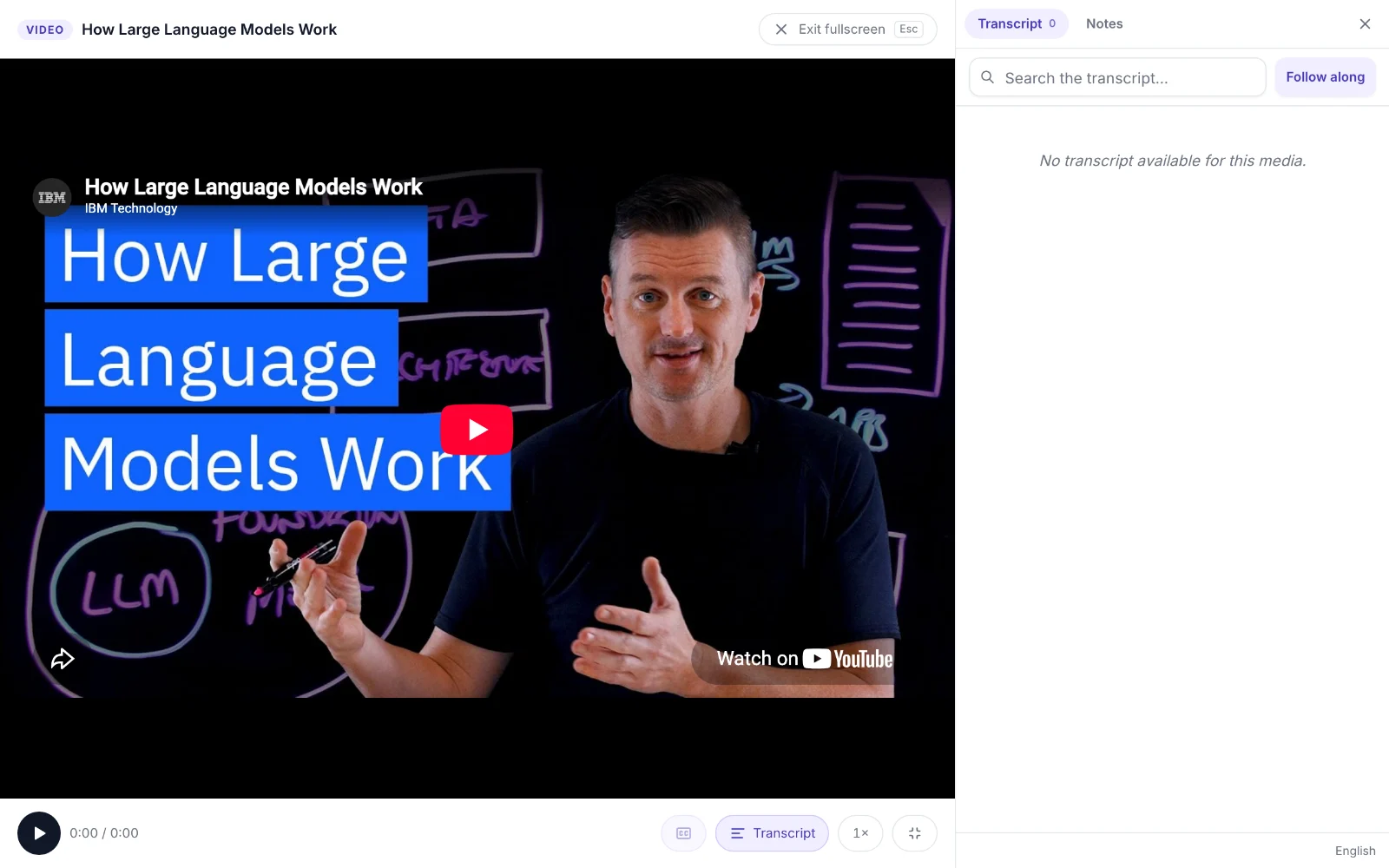
YouTube modules open beside a transcript reader that you can search, follow along with and copy. Fullscreen has its own controls and a side rail with the transcript, chapters, checkpoints and notes. Checkpoints (multiple choice, true or false, reflection and polls) stop the video at their time, and bookmarks show as marks on the scrubber. At the end, a card says whether the module is complete and lists the share you watched, the required checkpoints and the points.
Captions in every language
Importing from YouTube now lists the video’s caption tracks, marks each one as manual or auto-generated, and preselects Arabic and English. Each language you pick becomes its own caption track and transcript. When YouTube has no track in a language, Rafiq can translate the transcript cue by cue and keep every timestamp, once you confirm. Learners get the transcript in their interface language when one exists, and can switch.
Reading settings, auto-scroll and a daily target
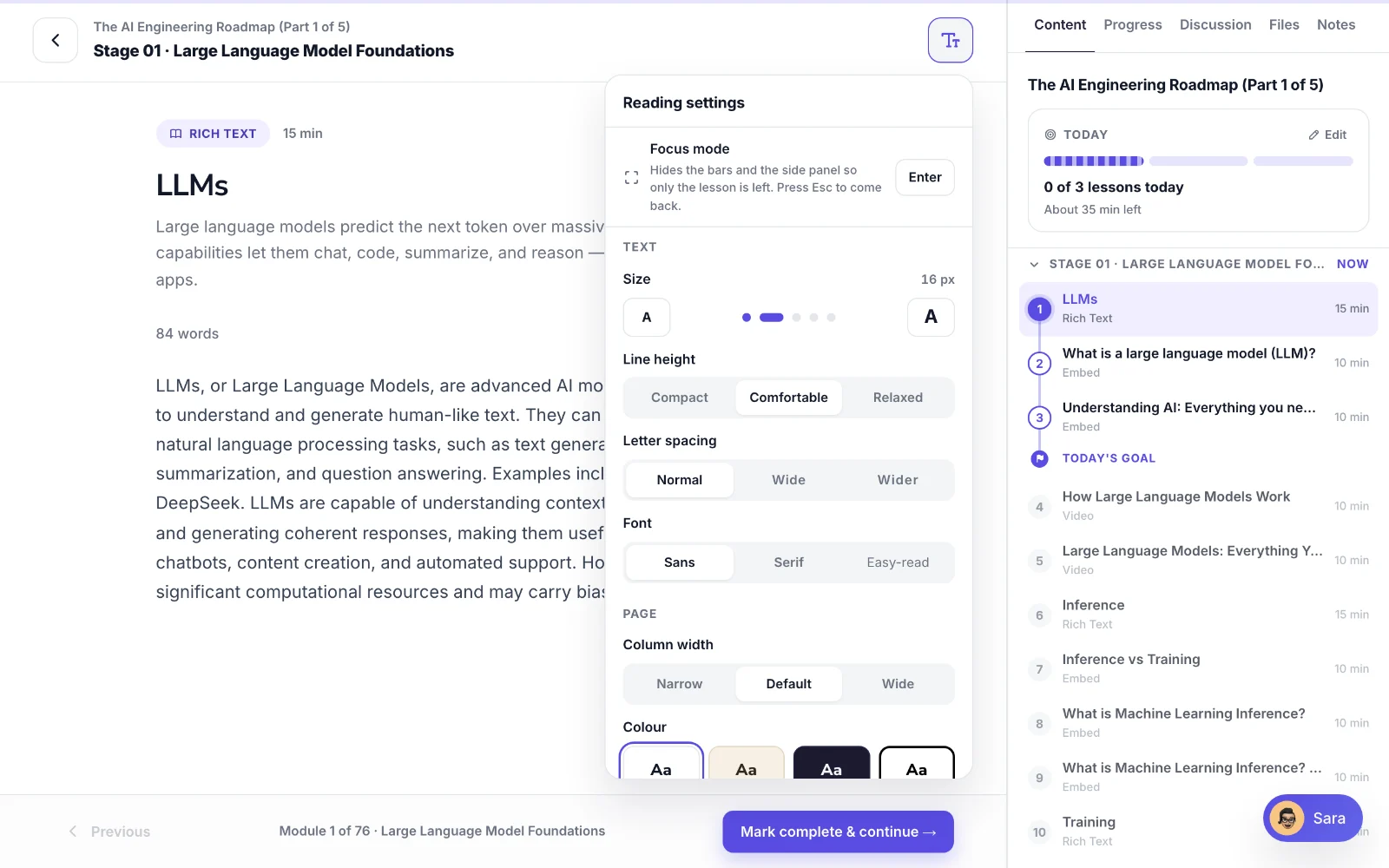
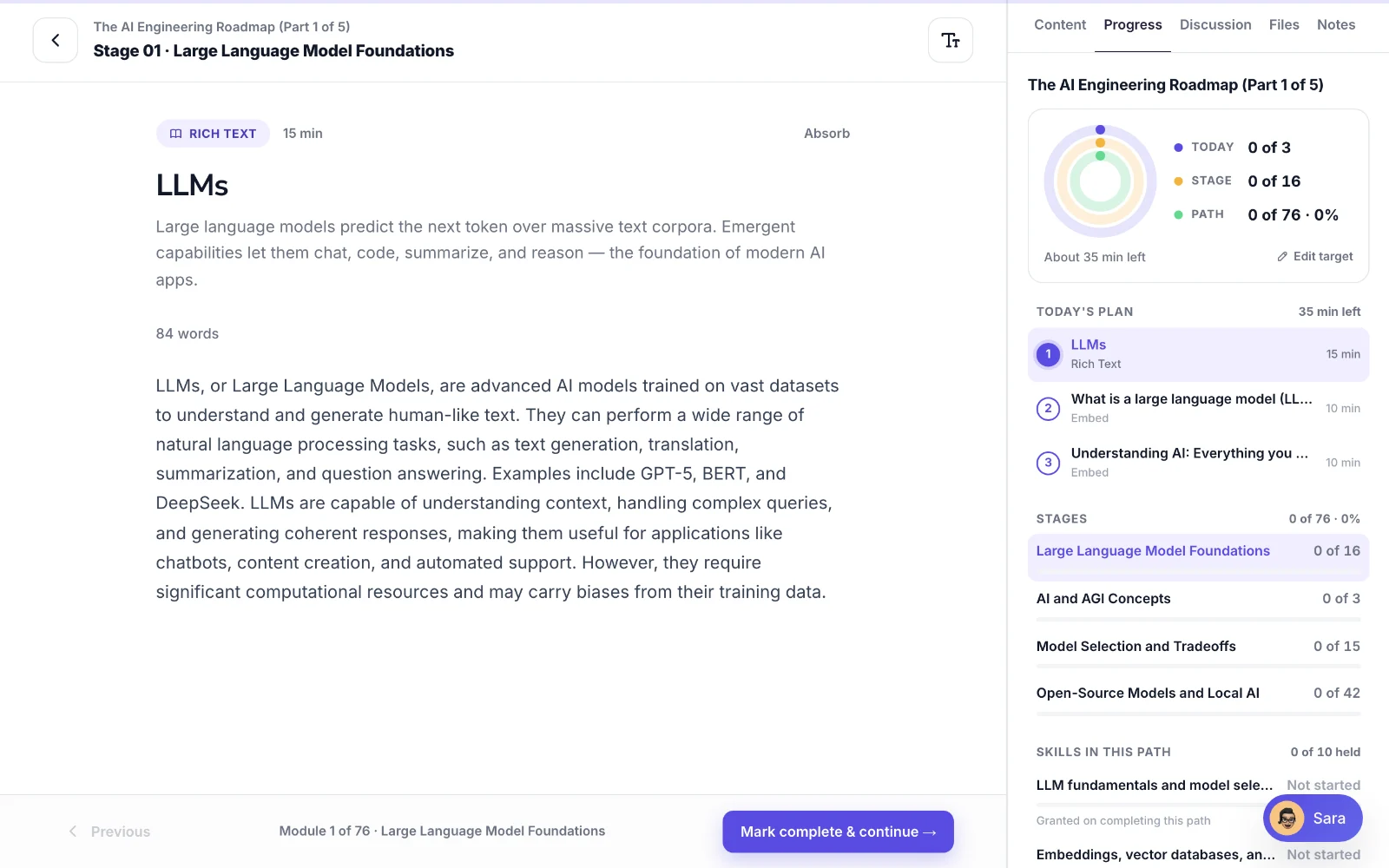
A reading settings panel sets the text size, line height, letter spacing, font, column width and colour, and has a focus mode that hides the bars and the side panel. Auto-scroll runs at three speeds, from about 130 to 310 words a minute, and Read aloud uses the browser’s speech. Your settings are saved to your account. A Today card in the outline sets a target of one to eight lessons a day, and a new Progress tab shows today, the stage and the whole path.
Stage names in your language
Stage headings now use the reader’s language when a name exists in it. Admins can translate missing stage names from the Path Studio outline, and a stage name a person wrote is left alone. The stage organizer writes both languages and allows up to 50 stages, up from 12.
Also in this release
Added
- Keyboard controls in the fullscreen player: Space to play or pause, the arrow keys to seek, and Shift with an arrow key to change chapter.
Changed
- The lesson top bar shows how far you have read, instead of the module’s position in the path.
Fixed
- [server] The caption chooser listed no languages when YouTube hid its caption tracks from the server. The YouTube Data API is now a fallback.
- Focus mode hid Previous and Continue in the bottom bar.
One email when we publish. Research, product decisions, and what teams report back.