This release has 276 frontend commits. Most of them move every AI chat in the product onto one shared shell, and the rest went into the public site.
One shell, five assistants
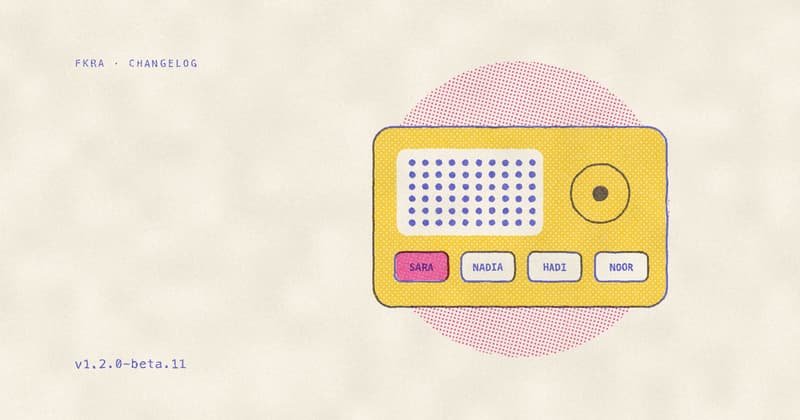
The lesson assistant, the canvas copilot and the path, media and import copilots each had their own dock, message list, action cards and stream parser. They now share one package, @fkra/agent, and the old versions are deleted. Conversations are stored on the server, so a thread survives a reload and follows you to another device, and every surface has a thread list with New chat. The launcher shows the assistant’s name and face: Sara in lessons, Nadia on paths, Hadi on media and Noor on imports. You can keep typing while a reply streams, and stop it.
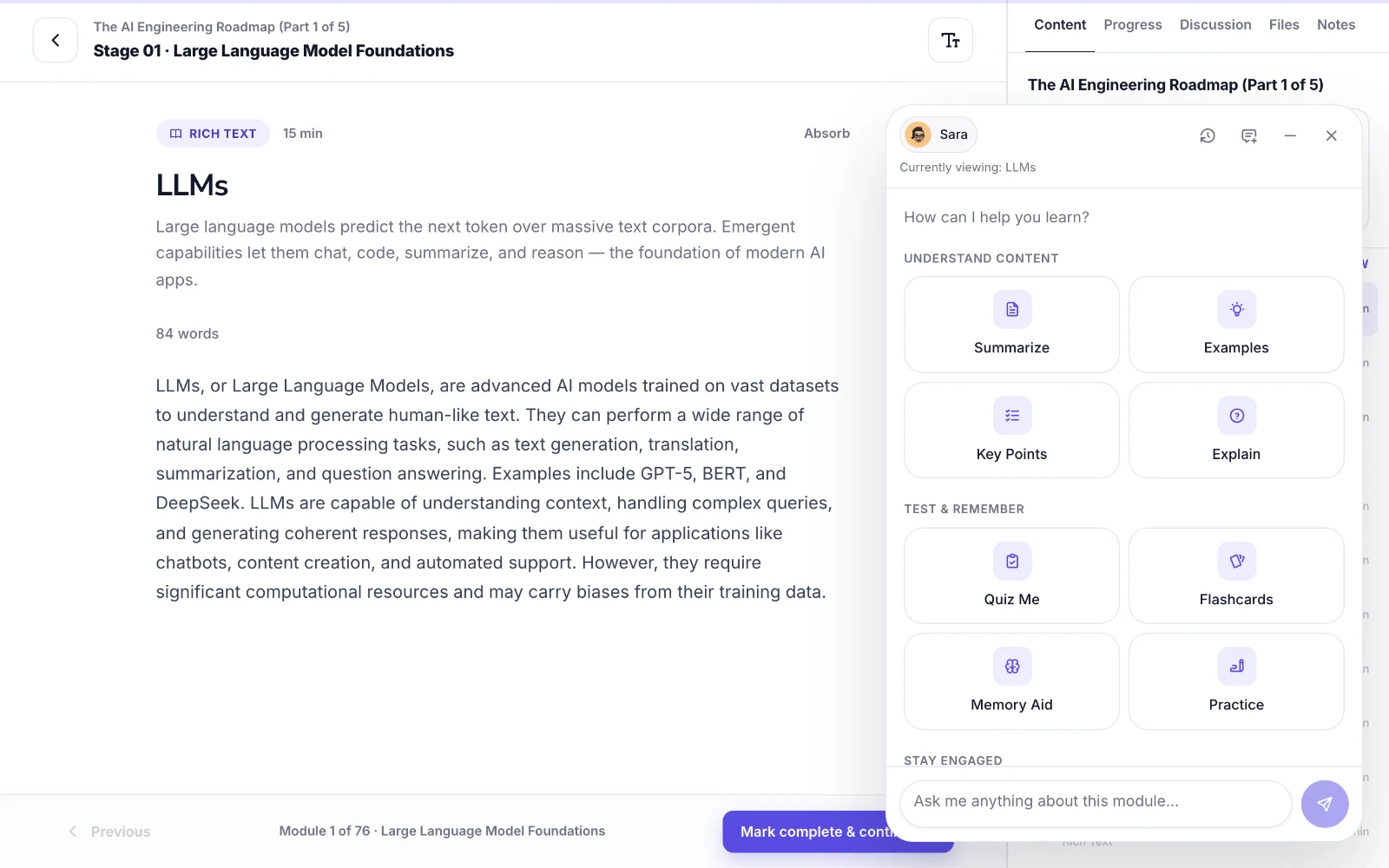
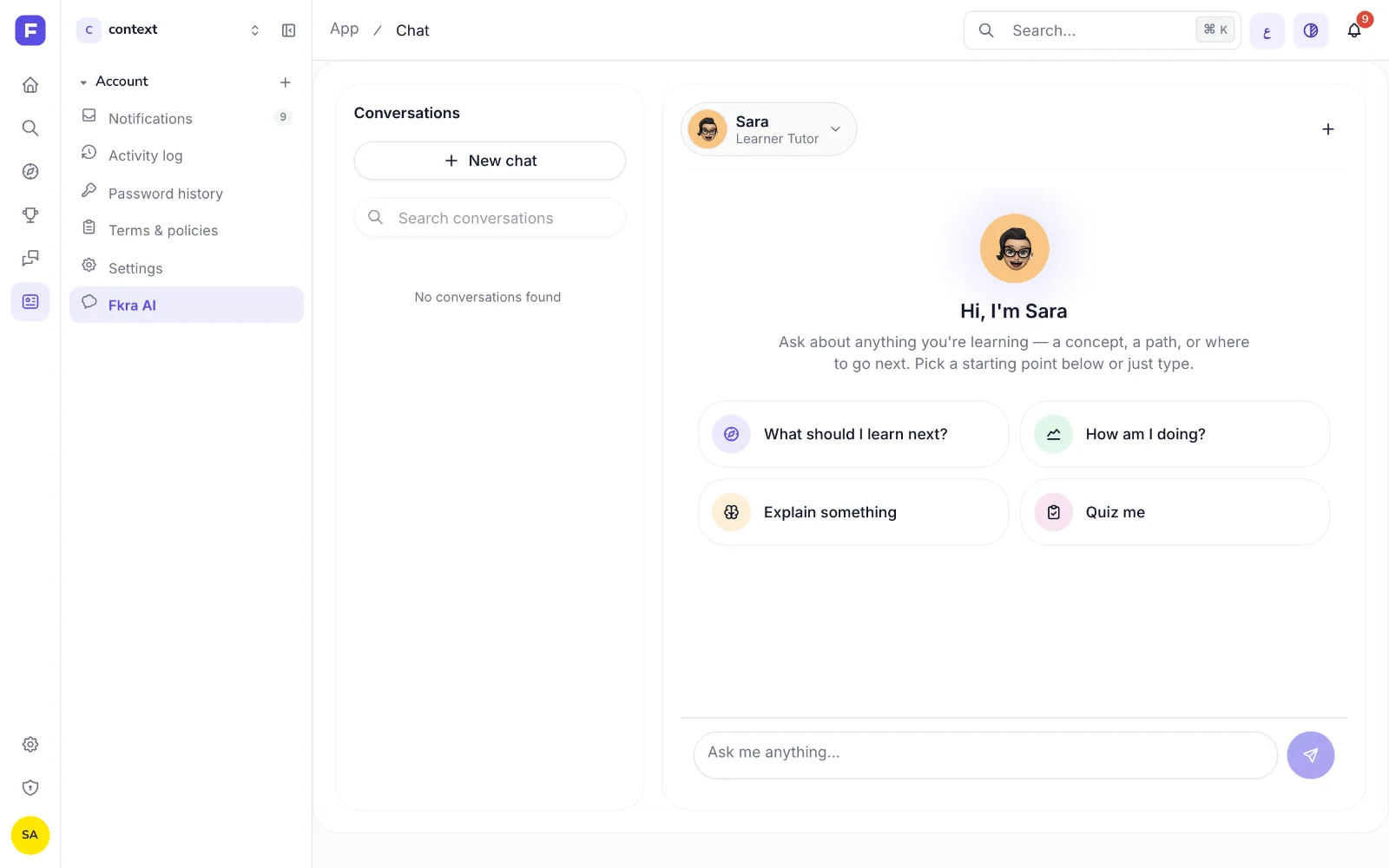
Fkra AI at /app/chat
/app/chat used to say “Fkra AI is not available yet”. It is now a two-pane screen with your conversations on the left, including the ones you started inside a lesson, each tagged with that lesson. A new conversation opens on four starting prompts. Admins can mark an agent preset “Available to learners”, and learners choose between the default assistant and those personas from the chat header.
Documentation at fkra.ai/documentation
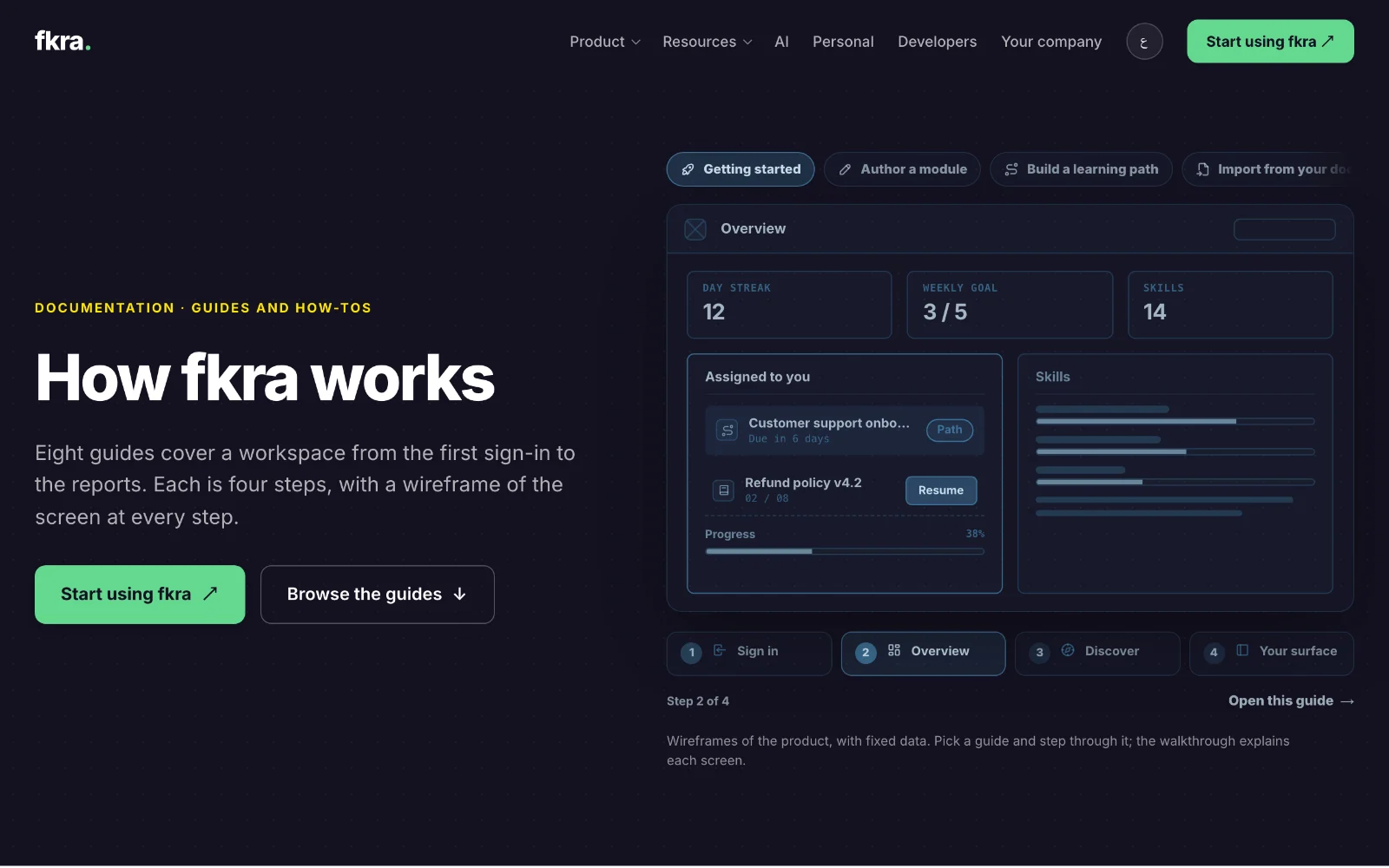
The new documentation section has eight guides of four steps each, covering getting started, authoring a module, building a path, importing from documents, working with agents, teaching in every mode, assessment and certificates, and running a workspace. Each step has a greyscale wireframe of the product that you can click through.
Printing, sharing and search engines
Legal pages, blog posts and guides now print as black text on white paper, without the navigation or the dark heroes. The legal pages got a numbered section index with a link for every clause. Each marketing page has its own share card in English and Arabic, 18 in all, generated from the site’s copy. Blog posts carry BlogPosting structured data, and unknown URLs answer with a real 404.
Also in this release
Added
- A launcher pill with the assistant’s name and avatar on every docked copilot.
- A skip-to-content link on the marketing pages.
- [server] Endpoints to list, read and delete agent conversations, and a streaming import copilot.
Changed
- “Dismiss” reads “Not now” on the path and media copilots.
- An assistant that the workspace has switched off shows a muted notice instead of a red error.
- The landing page says 27 module types, matching the catalogue, and /developers publishes the enforced rate limit of 100 requests per 10 seconds per address.
- The largest element on /creators renders in 884 ms, down from 2,972 ms.
Fixed
- On phones, marketing tap targets reach 44 pixels, small text meets AA contrast, and focus returns correctly from the menu and search.
- Arabic on the marketing pages: arrows follow the reading direction, and nouns after numbers above ten take the singular.
- The captcha’s Arabic text rendered in the Latin font.
Removed
- The per-surface chat docks and three copies of the stream parser.
- The trademarked “VARK” name from all user-visible copy.
- The screenshot share card, which was seven weeks out of date.
One email when we publish. Research, product decisions, and what teams report back.